Roles
Chef Automate Identity and Access Management (IAM) roles are named groups of actions used to define policies. Actions define the operations that users are permitted to perform in Chef Automate. The IAM Actions page lists the actions required to access specific pages in Chef Automate.
To interact with roles, users need permission for the iam:roles action.
Users who are members of the admins team or the Administrator policy already have this permission.
For all other users, you can create IAM custom policies to grant this permission.
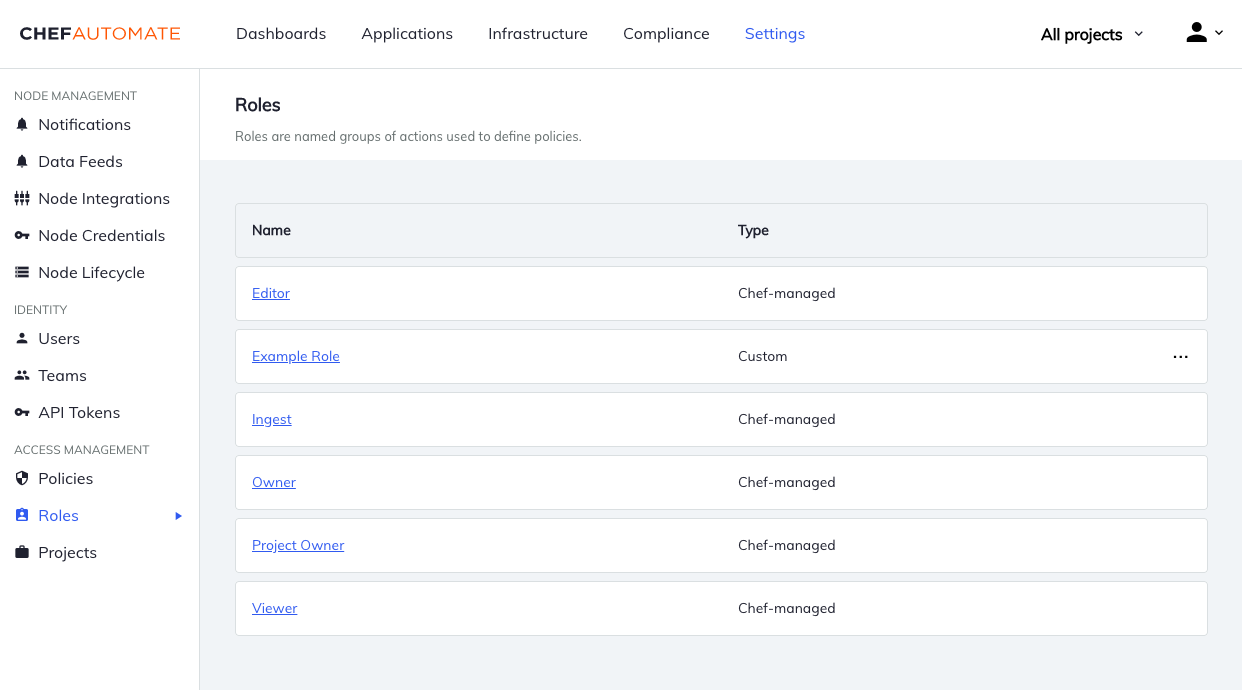
Chef-managed roles
Chef-managed roles are roles provided by Chef that can’t be changed.
- Viewer
- View everything in the system except IAM.
- Editor
- Do everything in the system except IAM and license application.
- Owner
- Do everything in the system including IAM.
- Project Owner
- Editor + view and assign projects.
- Ingest
- Ingest data into the system.
Actions for Chef-managed roles
- Owner
- ID: owner
Actions: *
- Project Owner
- ID: project-owner
Actions: infra:nodes:*, infra:nodeManagers:*, compliance:*, event:*, ingest:*, secrets:*, iam:projects:list, iam:projects:get, iam:projects:assign, iam:policies:list, iam:policies:get, iam:policyMembers:*, iam:teams:list, iam:teams:get, iam:teamUsers:*, iam:users:get, iam:users:list, applications:*
- Editor
- ID: editor
Actions: infra:infraServers:list, infra:infraServers:get, infra:nodes:*, infra:nodeManagers:*, compliance:*, event:*, ingest:*, secrets:*, iam:projects:list, iam:projects:get, iam:projects:assign, applications:*
- Viewer
- ID: viewer
Actions: infra:infraServers:list, infra:infraServers:get, secrets:*:get, secrets:*:list, infra:nodes:get, infra:nodes:list, infra:nodeManagers:get, infra:nodeManagers:list, compliance:*:get, compliance:*:list, event:*:get, event:*:list, ingest:*:get, ingest:*:list, iam:projects:list, iam:projects:get, applications:*:get, applications:*:list
- Ingest
- ID: ingest
Actions: infra:ingest:*, compliance:profiles:get, compliance:profiles:list
Custom Roles
Custom roles are roles that any user with the permission for iam:roles:update can change.
In addition to the Chef-managed roles above, Chef Automate includes two custom roles by default.
- Compliance Viewer
- Viewer for compliance resources.
- Compliance Editor
- Editor for compliance resources.
You can edit these custom roles like other user-created custom roles.
Managing Roles
Creating Roles
Custom roles can only be created using the Roles API.
Example Custom Role
{
  "name": "Advocate",
  "id": "advocate-role",
  "actions": [
    "infra:*",
    "compliance:*",
    "teams:*",
    "users:*"
  ],
  "projects": [
    "east-region",
    "west-region"
  ]
}
Changing Role Details
For custom roles, use the Roles API to change the role name, actions list, and projects.
Delete Roles
Navigate to Roles in the Settings tab. Then open the menu at the end of the table row and select Delete Role.